- Genre
- 3D Bowling
- Play time
- Under a minute per frame
- Best for
- Swipe control, chasing strikes
- Platform
- Mobile web, no install
Bowling, One Frame at a Time
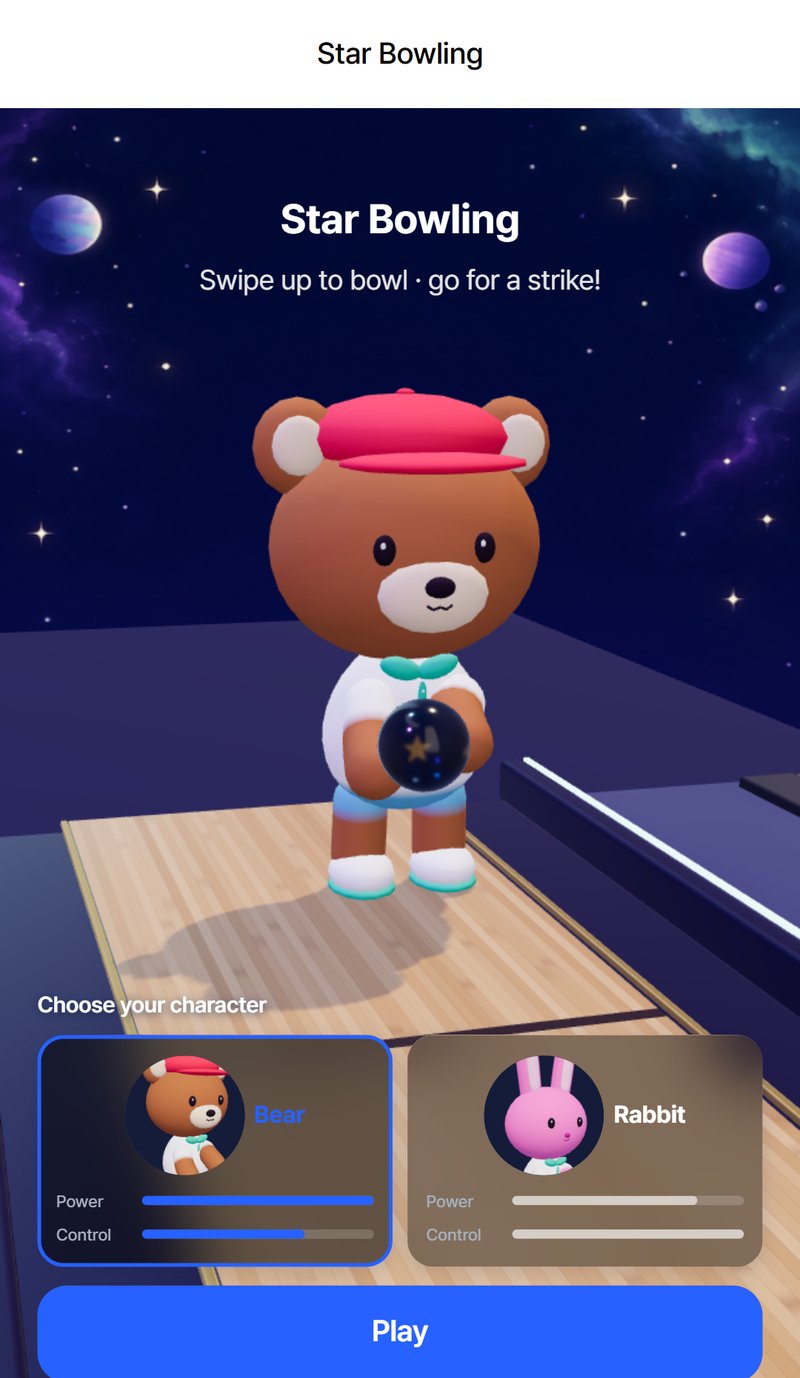
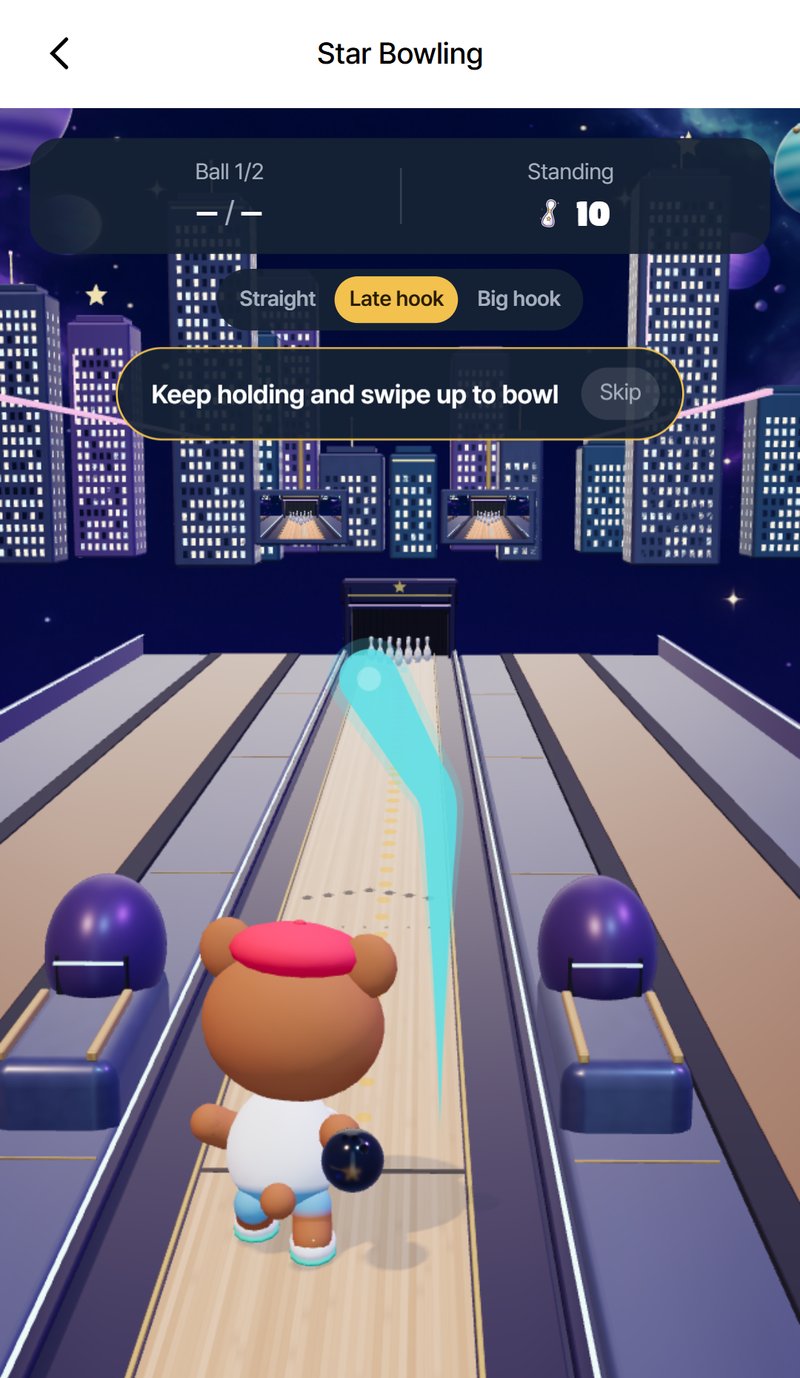
Star Bowling puts a 3D bowling lane out among the stars, with a city skyline glowing in the distance and planets hanging over the pin deck. Every game is a single frame: two balls, ten pins, and one question. Can you get the strike? A frame takes well under a minute, which makes it easy to play just one more.
Before you bowl, pick your bowler. The bear brings power and throws a little faster. The rabbit brings control, with an aiming line that reaches all the way to the head pin, even on a straight ball. Neither is the right answer; they suit different ways of playing the lane.
How to Play
- Line up. Drag left or right to choose where on the lane you start your throw.
- Swipe up to bowl. A longer swipe rolls the ball faster. Your swipe is drawn on the screen as you go.
- Bend the end to hook. Keep the swipe straight for a straight ball, bend the end for a late hook, or bend it hard for a big hook that starts near the edge and swings back toward the pins.
- Watch the guide line. It shows where the ball is headed. If it turns red, that ball is going in the gutter.
- Score the frame. All ten down with the first ball is a strike. Clear the rest with the second ball for a spare. Otherwise, the pins you knock down are your score.
Pins That Aren't Scripted
The pins in Star Bowling are not canned animations. Every pin is simulated with real physics, so the way they fall depends on exactly where and how fast your ball arrives. No two hits play out the same way, and a pocket hit that scatters the deck one frame can leave a stubborn corner pin the next.
When the ball meets the pins, the action slows down for a split second so you can watch them fly. While you aim, a monitor above the lane shows a close-up of the pin deck, which helps on the second ball when you are lining up a spare.
Tips for More Strikes
- Hook into the pocket. A straight ball into the head pin often leaves pins standing. A late hook that arrives at an angle carries more of the deck.
- Start wide for a big hook. A big hook swings a long way, so line up near the edge and let it come back toward the pins.
- Trust the red line. If the guide turns red, adjust before you finish the swipe instead of hoping it saves itself.
- Go straight on spares. For a single pin left on one side, a straight ball from the opposite side is usually the safest line.
- Try both bowlers. The bear's speed helps the ball drive through the deck; the rabbit's long aiming line makes precise spares easier.
Records Worth Beating
Your best frame and your strike count are saved on this device, so there is always a record to chase. After each frame you can go straight back to the lane and bowl again, as many frames as you like.
The game itself is free, with no ads and no in-app purchases inside it, and there is no account or sign-in. Pick your bowler, line up your shot, and go for the strike.
Frequently Asked Questions
How do I bowl?
Drag left or right to choose your starting spot, then swipe up. A longer swipe rolls the ball faster, and the end of your swipe decides the spin.
How do I throw a hook?
Bend the end of your swipe. A slight bend gives a late hook; a hard bend gives a big hook that starts near the edge and swings back toward the pins. Keep the swipe straight for a straight ball.
What is the difference between the bear and the rabbit?
The bear brings power and throws a little faster. The rabbit brings control, with an aiming line that reaches all the way to the head pin, even on a straight ball.
How is a frame scored?
Each game is one frame with two balls. Knock all ten pins down with the first ball for a strike, clear the rest with the second ball for a spare, or score the number of pins you knock down.
Is my progress saved? Do I need an account?
No account or sign-up is needed. Your best frame and strike count are saved in your browser on this device.