- Genre
- Aim Trainer
- Round length
- 30, 60, or 100 seconds
- Best for
- FPS warm-ups & aim drills
- Platform
- Desktop web + mouse, no install
The Missed Shot That Started This
You peek the angle. Enemy's right there, dead center of your screen. You click — and your crosshair is somehow a full head to the left. The kill trades, or worse, you just die. You knew where they were. Your hand just didn't put the dot there in time.
Every FPS player knows that feeling. The first bullet that sails wide. The flick that overshoots by a mile. The tracking that stutters right as the enemy strafes. Aim isn't talent you're born with — it's a motor skill, and motor skills get better with reps. That's the entire point of an aim trainer: isolate the click, remove the map, the recoil, the teammate yelling in your ear, and just practice putting the crosshair on the thing. Over and over, until your hand stops arguing with your eyes.
Short answer: This is a free aim trainer you run right in your browser — no download, no account, no install. Three modes cover the skills that matter: Gridshot for raw click speed, Flick for first-shot accuracy, and Tracking for holding your crosshair on a moving target. Pick a 30, 60, or 100-second round, and it shows you the numbers that actually tell you if you're improving — accuracy %, targets per second, average reaction time in milliseconds, and your best score. It's built for a desktop and a mouse, the way FPS aim actually happens.
How to Use the Aim Trainer
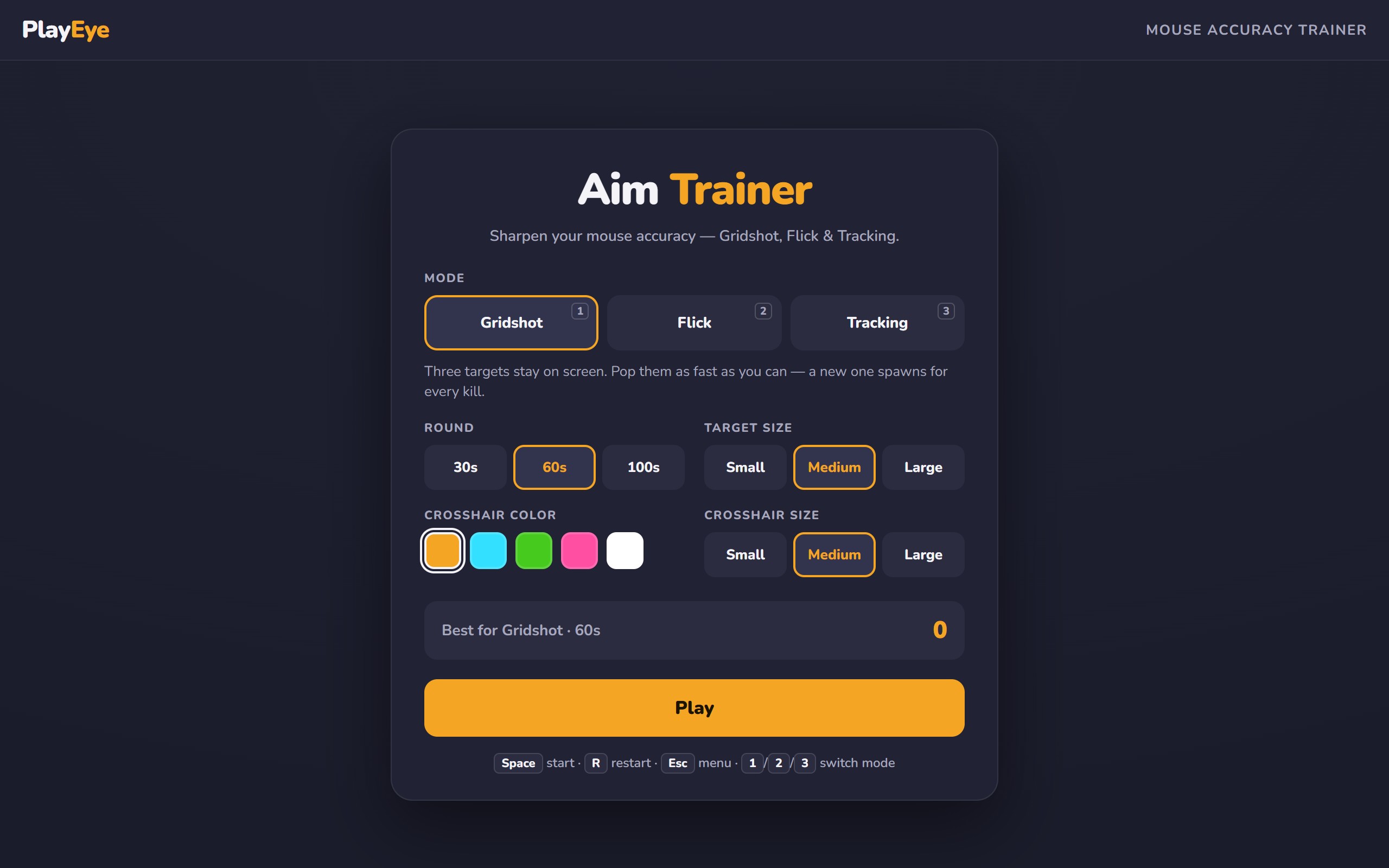
Three modes, three different weaknesses to fix. Use the number keys 1, 2, 3 to switch, Space to start, R to restart, Esc to bail.
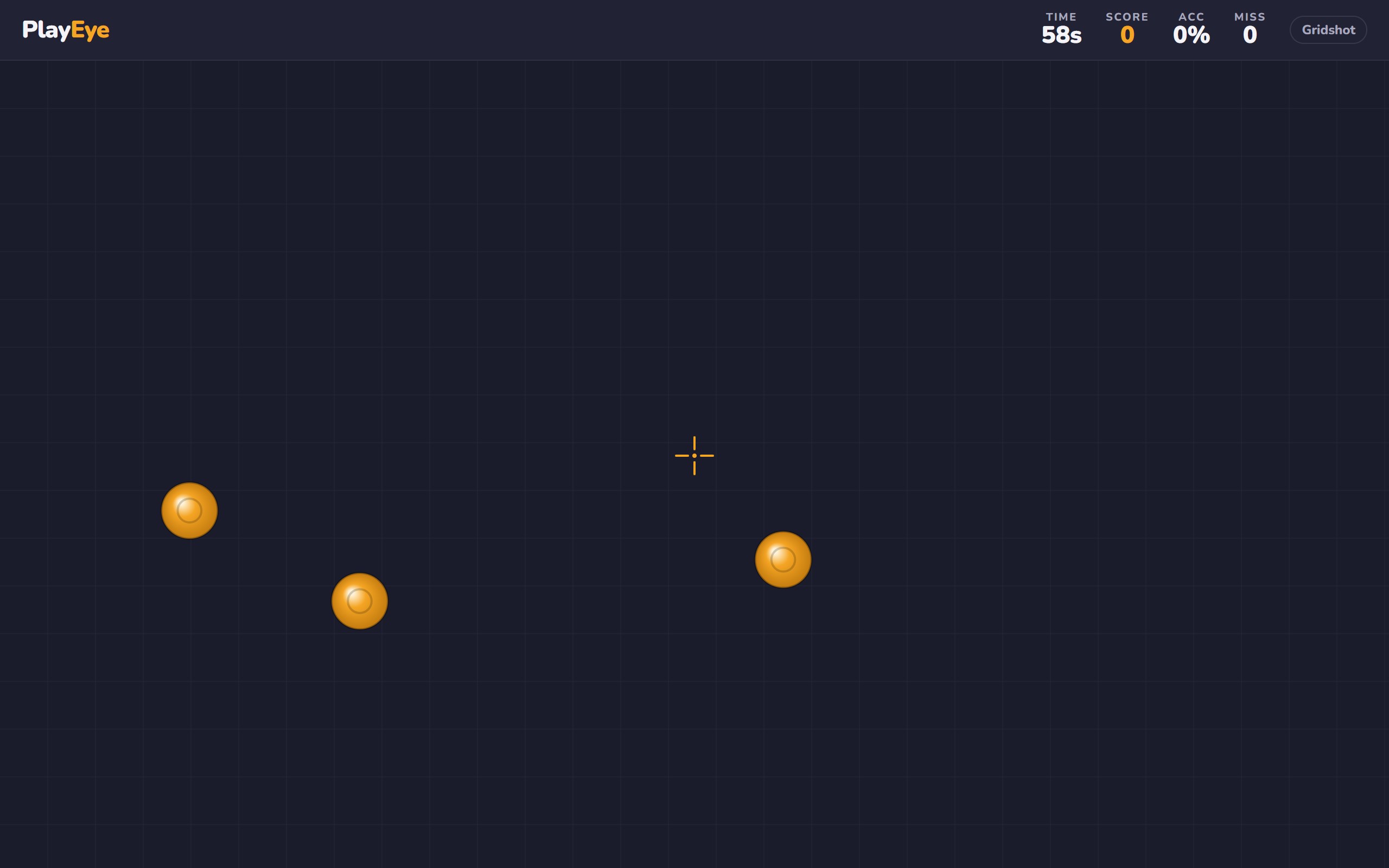
- Gridshot (press 1) — for speed. Three targets sit on the board at once. Click one, it pops and a new one respawns somewhere else. You've got 60 seconds to rack up as many as you can. This trains the fast, rhythmic click-and-move that carries you in close-range fights and tap-heavy games. No target ever waits long, so you can't afford to.
- Flick (press 2) — for first-shot accuracy. One target appears in a random spot. Snap to it, click, and the next one shows up somewhere else entirely. There's nothing to warm into — every shot is a cold flick from wherever your crosshair happened to be. This is the mode that fixes the "why did my opening shot miss" problem, because that's literally all it drills.
- Tracking (press 3) — for staying glued. A single target glides across the screen and your job is to keep your crosshair on it. The trainer counts the time your cursor is actually touching the target, so smooth beats twitchy. This is the skill behind spraying a strafing enemy or following someone through a duel without your aim peeling off.
Before a round, dial it in. Crosshair customization lets you set the color and size so it reads clearly against the targets — pick something that pops for your eyes. Target size has three steps; start on the largest while you find your rhythm, then shrink it as you get consistent. Which mode you live in depends on what's letting you down: choppy close-range trades point to Gridshot, whiffed opening shots point to Flick, losing enemies mid-strafe points to Tracking.
How to Actually Get Better at Aim
Reps alone aren't enough — random clicking for an hour just grinds in your bad habits faster. These are the training principles the FPS community has converged on over years of players trying to fix their aim. Use them and the numbers move.
- Warm up before you queue, not just when you're bored. Five minutes across the three modes before your first match is the highest-value thing you can do. Cold aim is real — your first game of the night is usually your worst. A short warm-up gets your hand and eyes synced before it counts, instead of burning a competitive match to get loose.
- Accuracy first. Speed comes after. The most common mistake is chasing a high targets-per-second number by spamming clicks. Don't. Slow down until you're hitting cleanly, then let the speed build on top of a foundation that lands. Fast-and-missing is a habit that follows you into games. Accurate-and-slow naturally speeds up on its own; the reverse almost never happens.
- Train on a low sensitivity. Most consistent aimers play on a lower sens than beginners expect, using arm movement for big swings rather than tiny wrist flicks. A lower sensitivity is more forgiving of small hand tremors and makes fine adjustments land where you want them. If your flicks constantly overshoot, your sens is probably too high — drop it and let the trainer tell you if accuracy improves.
- Know when it's wrist and when it's arm. Small, close-target adjustments are wrist work; wide flicks across the screen should come from your arm and shoulder. Trying to do everything from the wrist on a low sens leaves you unable to reach the far corners, and doing everything from the arm makes tiny corrections clumsy. Pay attention to which you're using in Flick versus Tracking.
- Short and daily beats long and occasional. Fifteen focused minutes a day builds motor memory far better than a two-hour grind once a week. Skill consolidation happens between sessions, not during marathon ones — and once you're tired, you're just practicing sloppiness. Consistency is the actual cheat code.
- Shrink the target as you improve. Start on the largest target size, get comfortable, then drop to the next step. Progressively smaller targets force finer control and keep the practice from getting stale once big targets feel trivial. When one size stops challenging you, that's the signal to shrink it.
- Watch one stat per session, not all of them. If you're on Flick, care about accuracy this week and ignore your speed. Trying to improve every number at once means improving none of them. Pick the metric that matches the mode's purpose and let the others follow.
- Cool down, don't rage-grind. If your accuracy is falling as the session goes on, you're past useful and into fatigue — stop. More reps while tired don't fix aim, they teach your hand the wrong pattern. End on a clean round, not a frustrated one.
Aim training is one piece of getting better at FPS games — game sense, positioning, and crosshair placement matter just as much once the mechanical part is handled. If you like the reaction-speed side of this, we broke down our actual player timing data in the real numbers behind our reflex games, and you can put pure reaction to the test in Whack-a-Mole or Stop the Cloud.
Frequently Asked Questions
Does aim training actually work?
Yes, with the usual caveat: it trains the mechanical part of aiming — flicking, tracking, click timing — and that part responds to reps like any motor skill. What it won't do is fix your positioning, your crosshair placement, or your decision-making, which is where most fights are actually won or lost. Treat it as a warm-up and a targeted drill for a specific weakness, not a replacement for playing the game. Players who use it consistently and focus on accuracy over speed see their in-game aim tighten up.
How long should I aim train per day?
Short and consistent wins. Around 15 minutes a day, or a focused 5-minute warm-up right before you play, does more than an occasional long grind. Once your accuracy starts dropping within a session, you're fatigued and reinforcing bad habits — that's the point to stop, not push through.
Which mode should I use for Valorant or CS2?
For tap-and-peek shooters like Valorant and CS2, Flick is your priority — those games reward a precise, committed first shot from a still crosshair. Gridshot sharpens the fast target-switching for close-range spray-downs. If you play tracking-heavy games like Apex or Overwatch instead, live in Tracking mode. Most players rotate through all three and just weight the one that matches their game.
Do I need to download anything?
No. It's a browser aim trainer with no download and no sign-up — it loads and runs on the page. Open it, press Space, start clicking. It's built for a desktop with a mouse, which is where FPS aim practice belongs; a trackpad or touchscreen won't give you a meaningful read on your real aim.
What's a good accuracy percentage to aim for?
There's no single magic number — it depends on the mode and target size. The useful benchmark is your own trend: pick a mode and target size, note your accuracy, and try to beat it next session. Rising accuracy at the same difficulty means your mechanics are improving. When a target size gets easy, shrink it and reset your baseline.