- Genre
- Timing Arcade
- Play time
- 1-3 minutes per run
- Best for
- Quick reflex challenges
- Platform
- Mobile web, no install
About
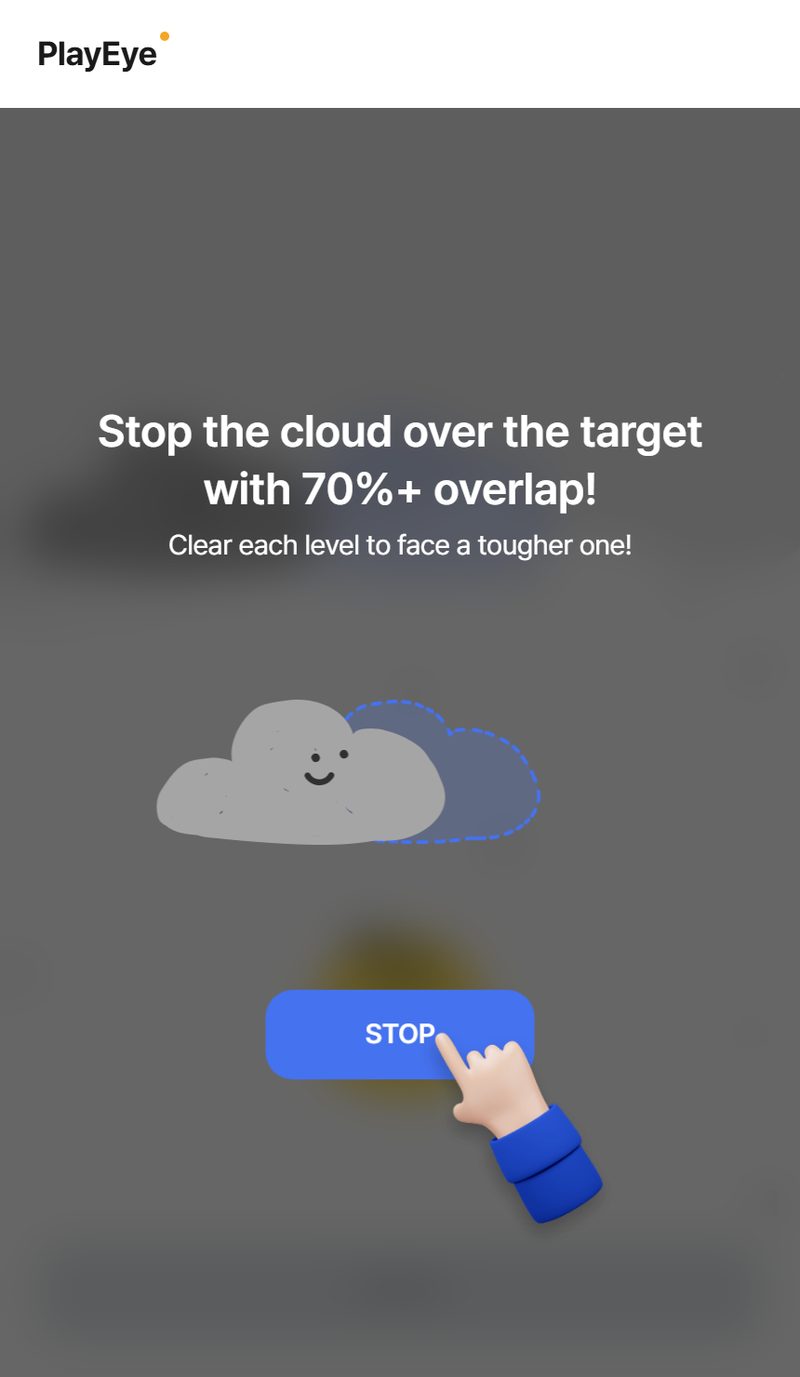
Stop the Cloud is a one-tap timing game built on a single, satisfying skill: stopping something at exactly the right instant. A cloud drifts steadily back and forth across the sky, and a target marks where it needs to land. Your only control is the STOP button. Press it when the cloud lines up with the target, and if enough of the cloud overlaps the goal, you clear the level and move on.
What makes it click is how readable and fair it feels. There's no hidden trick — you can see the cloud moving, you can see the target, and you know precisely what you need to do. The challenge is purely in your timing. Early levels give you a slow, forgiving drift that's easy to read. As you climb, the cloud picks up speed and the window for a good stop shrinks, turning a relaxed tap into a genuine test of nerve.
Because it asks for just one input, Stop the Cloud is the kind of game anyone can start instantly and still find room to master. A first-timer understands the goal in a single glance, while a returning player chases tighter, more confident stops level after level. Each attempt is quick, so a miss never stings for long — you simply line up and try again.
It's ideal for the small pockets of time that don't fit a longer game. Open it while you wait in line, squeeze in a few levels on a break, or see how far up the speed ladder you can climb before your timing finally gives out. Light, clean, and immediate, it turns a single button press into something genuinely tense and rewarding.
How to Play
- Watch the cloud drift back and forth across the screen above the target
- Tap the STOP button when the cloud lines up over the target zone
- Land enough of the cloud on the target to clear the level and advance
- Each level raises the cloud's speed, shrinking your timing window
- Keep clearing levels to push your run as far as your reflexes allow
Tips & Strategy
- Tap early, not on the dot. There's a tiny delay between deciding and pressing. Aim to fire your tap just before the cloud reaches the center to account for it.
- Learn the rhythm before you commit. Watch one full pass of the cloud to feel its speed, then time your stop on the next swing instead of rushing the first one.
- Use the center, not the edges. Stopping the cloud while it's near the middle of the target gives you the most overlap and the safest clear.
- Stay loose as speed rises. Faster levels reward calm, instinctive taps over tense, hesitant ones. Trust the rhythm you've built rather than over-thinking each press.
- Treat each miss as data. Notice whether you tend to stop too early or too late, then nudge your timing the other way on the next attempt.
Reading the Board
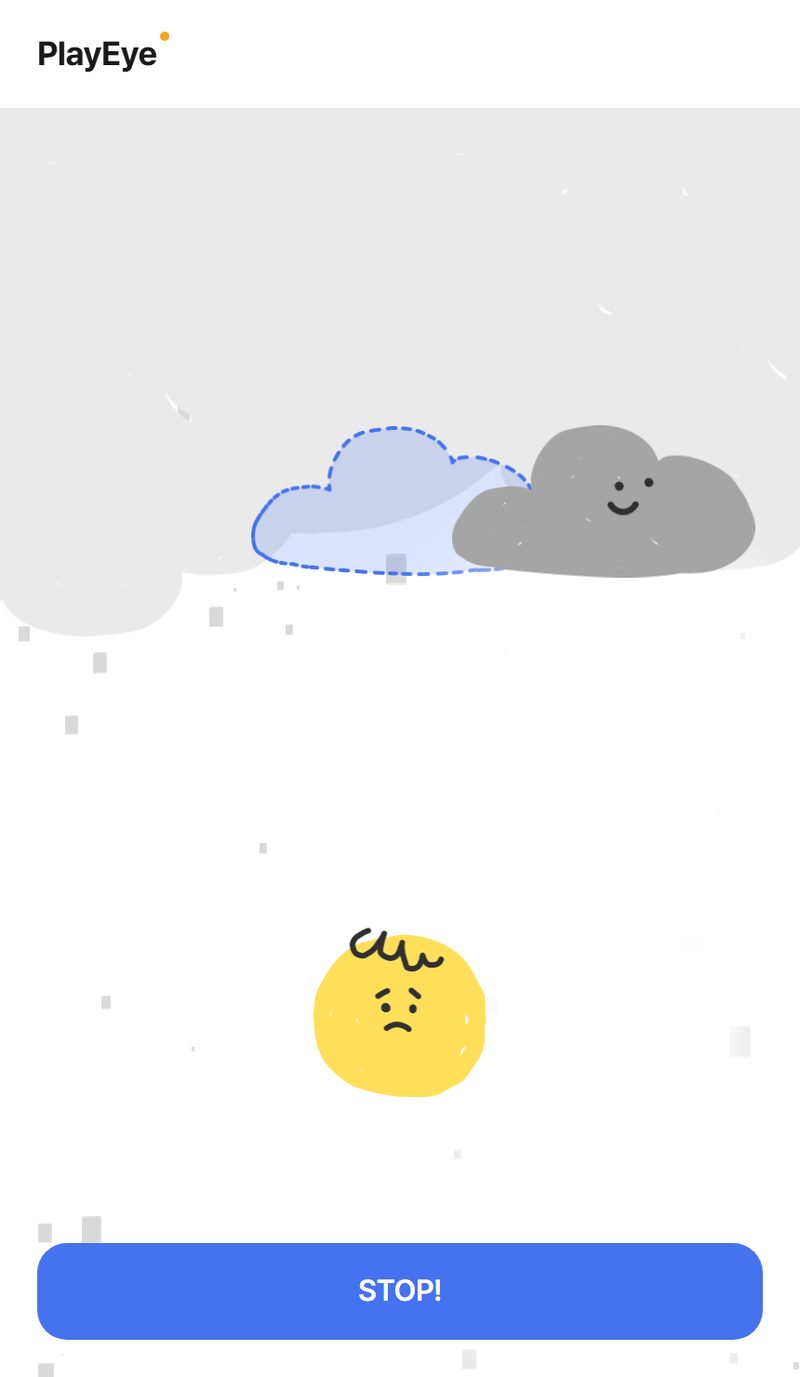
A cloud sweeps steadily from one edge of the screen to the other, passing over a fixed target zone (a goal marked beneath it). You have exactly one control: the STOP button. Press it, the cloud freezes, and the game measures how much of the cloud is sitting over the target.
The key thing to understand is that this is an overlap check, not a single-point hit. Your accuracy is the share of the cloud's width that lands inside the goal: stop it perfectly centered and you overlap nearly 100%; clip it with just the trailing edge and you might only register 40%. You don't need a perfect freeze — you need enough overlap to clear the level's threshold.
Levels, Speed, and the Accuracy Bar
The game runs on a four-level ladder, and each level squeezes you from two directions at once: the cloud moves faster and the accuracy you need to clear goes up.
- Level 1 — the cloud takes its slowest, most readable sweep, and you only need to land about 70% overlap to pass. Generous on both counts.
- Level 2 — the sweep speeds up roughly 10%, and the bar rises to around 78%.
- Level 3 — faster still, demanding about 85% overlap. Edge-clips no longer cut it.
- Level 4 — the fastest sweep, requiring roughly 92% overlap. At this point you essentially need a near-dead-center stop on a quickly moving target.
Clear the hardest level and the ladder loops back to the slow opening speed, so the run keeps going as far as your timing holds up. Each level shows your measured accuracy after you stop, which is the feedback you use to calibrate the next attempt.
Timing Tips
- Fire a hair early. There's a real delay between your brain deciding "now" and your thumb actually pressing. On a moving target that delay turns a perfect stop into a late one, so aim to press just before the cloud reaches dead center, especially on the fast levels.
- Watch one full pass first. Let the cloud complete a sweep before you commit. Reading its speed once gives your timing a reference, and a single missed sweep costs you nothing compared to a panicked early stop.
- Aim for the center, not the edges. Because accuracy is measured as overlap, a centered stop banks the biggest safety margin. The closer the cloud's middle is to the target's middle, the more forgiving the result.
- Match your tension to the level. The slow early levels reward patience; the fast late levels reward a loose, almost reflexive tap. Tensing up on Level 4 makes you press late — trust the rhythm you built on the way up.
- Diagnose your misses. The accuracy readout tells you whether you stopped early (cloud short of the target) or late (cloud past it). Adjust by a fraction in the opposite direction next time instead of guessing.
- Respect the rising bar. Clearing Level 1 at 72% feels like a win, but that same stop fails Level 4. As you climb, push for cleaner centering rather than just "good enough."
Frequently Asked Questions
Do I need to stop the cloud perfectly in the center?
Not on the early levels — you just need enough of the cloud overlapping the target to clear that level's threshold, which starts around 70%. By the final level, though, the required overlap climbs to roughly 92%, so a near-perfect center becomes necessary.
Why did my stop fail when the cloud looked like it was on the target?
Accuracy is based on how much of the cloud's width overlaps the goal, not on whether the cloud is merely touching it. A stop that only catches the cloud's edge can read well below the threshold even if it looks close.
How fast does the cloud get?
Each of the four levels increases the sweep speed by roughly 10% over the last, with the fastest level cycling back to the slowest after you clear it. The faster the cloud, the smaller your timing window.
Is there a way to slow the cloud down?
No — speed is fixed per level and only goes up as you advance. The challenge is built entirely around adapting your timing to each new pace.