- Genre
- Typing Game
- Lives
- 3 — survive the waves
- Best for
- Typing practice & WPM
- Platform
- Desktop web + keyboard, no install
Typing Practice Is Boring. A Word Falling Toward You Is Not.
Nobody grows up dreaming of typing drills. "The quick brown fox," the little gray keyboard diagram, the polite metronome telling you to keep your fingers on the home row. It works, technically. It's also the reason most people quit on day two. Practice that feels like homework gets treated like homework.
Now change one thing. That word isn't sitting on a worksheet — it's falling out of the sky, straight at your base, and the only thing standing between it and the ground is how fast your fingers can spell it. Miss, and it drops. Type it clean, and your turret blows it out of the air. Suddenly you're not "practicing." You're defending. Same keystrokes, completely different pulse.
That's the whole trick of a typing shooter: it takes the most useful boring skill in front of a computer and gives it stakes.
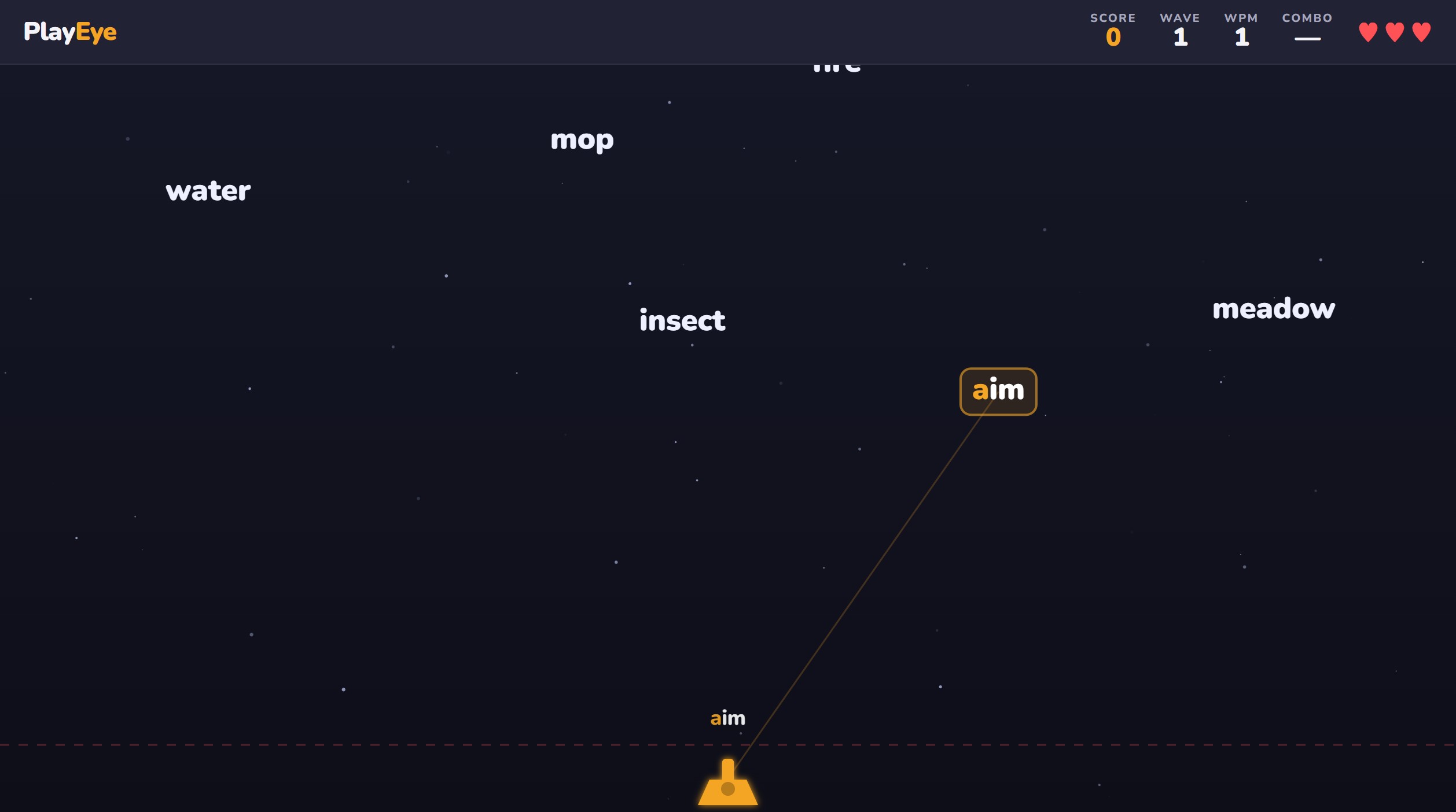
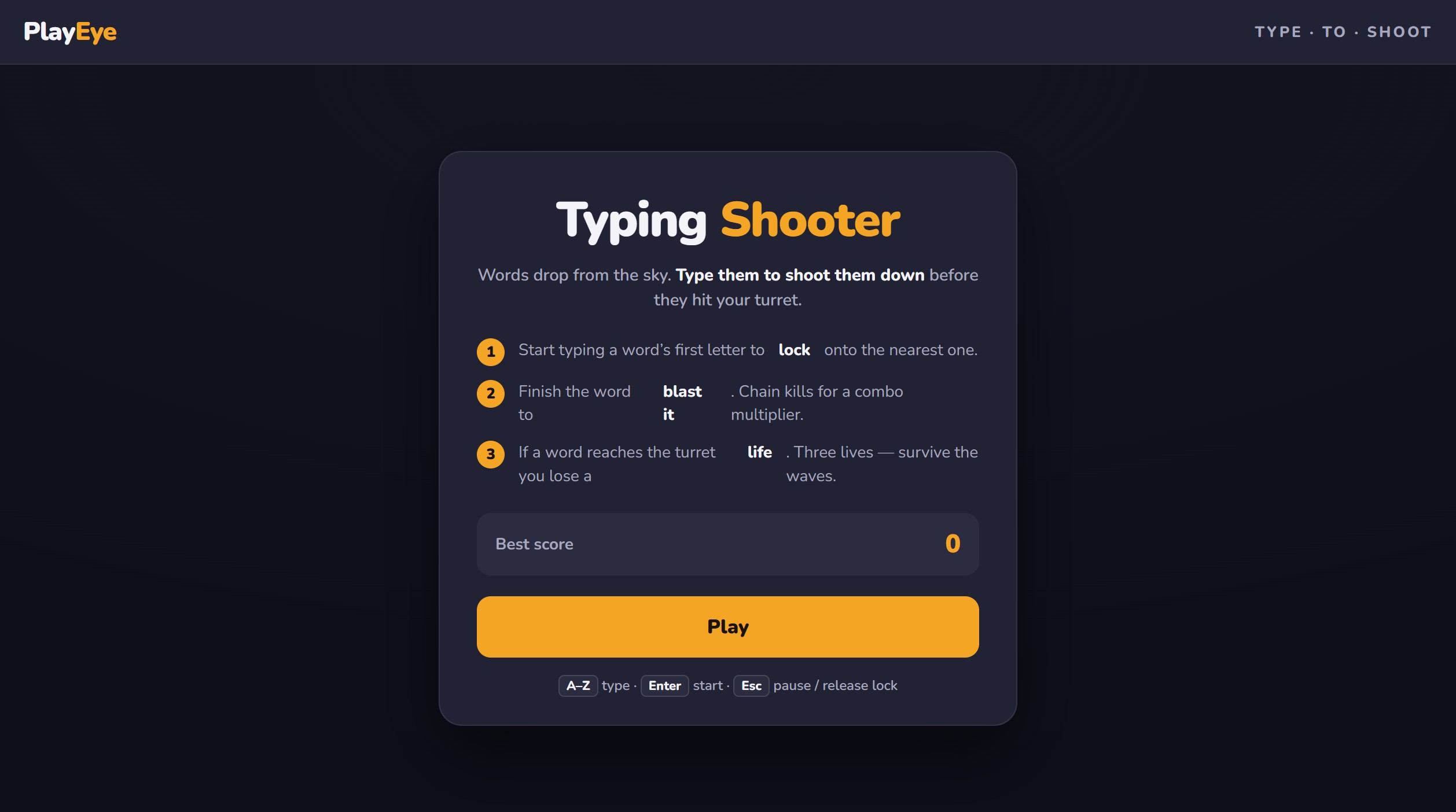
Short answer: Typing Shooter is a free type-to-shoot typing game you play right in your browser — no download, no account, no install. Words fall from the top of the screen and you shoot them down by typing them. Start typing a word's first letter to lock your turret onto it, finish the word to fire and destroy it. Let one hit the ground and you lose a life — you get three. Difficulty ramps up wave by wave (more words, faster drops, longer spelling), and a combo multiplier rewards you for clearing words without a single typo. When it's over you get the numbers that actually matter: your WPM, accuracy percentage, words destroyed, and highest wave reached — with your best run saved. It needs a desktop and a physical keyboard, because that's where real typing happens.
How to Play
Press Enter to start. Words begin drifting down from the top of the screen, and each one is a target.
- Type the first letter to lock on. The moment you hit a word's opening letter, your turret locks onto the nearest matching word and commits to it. From then on you're spelling that word — the rest of your keystrokes go to it until it's finished or gone.
- Finish the word to fire. Type it correctly to the last letter and the turret fires, the word is destroyed, and you're free to lock the next target. Clean spelling is the whole weapon.
- Don't let them land. Any word that reaches the bottom costs you a life. Three lives, then it's game over. The longer and faster the words get, the less runway you have to react.
- Ride the combo. Clear words back-to-back without a typo and your combo multiplier climbs, stacking your score. One wrong key breaks the streak — so the run rewards precision under pressure, not panic-mashing.
Then the waves turn the screw. Each new wave throws more words at once, drops them faster, and reaches deeper into the dictionary — early waves lob short 3-to-4-letter words, later ones hand you 8-to-10-letter monsters while three others are falling. The word pool runs 400+ English words, so you're reacting and spelling, not memorizing a loop. When you finally get overrun, press Enter to run it back.
How to Actually Get Faster at Typing
Here's the part that makes this more than a time-killer. A typing shooter drills the exact muscle a good typist has — reading a word and executing it without looking down — but only if you play it right. Random mashing just teaches your hands bad habits faster. These are the principles typing instructors have agreed on for decades; the game is just a more fun place to apply them.
- Keep your hands on the home row. Left fingers on A-S-D-F, right fingers on J-K-L-;, thumbs on the space bar. Every other key is reached from there and returned to there. This is the single foundation everything else sits on — if your hands are drifting and re-finding their spot every few words, you've capped your speed before you started. The little bumps on the F and J keys exist so you can find home without looking. Use them.
- Look at the screen, never at your hands. This is the habit a falling-word game trains almost by force — you literally can't glance down, because the words you're not watching are the words that land. Touch typing is typing without looking, and the fastest way to build it is to put your eyes somewhere they have to stay. Fight the urge to peek. Trust your fingers to be where you left them.
- Accuracy beats speed — and here it beats it twice. A typo doesn't just cost you time. Because your turret stays locked on the word you started, a wrong letter means you're stuck respelling it while it keeps falling — the mistake actively drags you down. Slow down until you're hitting clean, then let speed build on top of accuracy. Fast-and-sloppy is a habit that never gets faster; accurate-and-steady speeds up on its own.
- Find a rhythm instead of sprinting. Good typists don't hammer keys at random intervals — they settle into an even cadence, like a drummer. A steady rhythm is more sustainable and, weirdly, faster over a full run than frantic bursts followed by fumbles. Let the falling words set your tempo and try to keep your keystrokes evenly spaced.
- Triage the board: shortest and lowest first. When several words are falling, you don't have to take them left to right. Clear the ones closest to the ground before they land, and when it's a toss-up, knock out the short words fast to free your attention for the long one that needs it. Learning to scan and prioritize is a real skill the later waves force on you.
- Learn the long words as chunks, not letters. Nobody fast is thinking "c-o-m-p-u-t-e-r." They're firing familiar fragments — com, ing, tion, pre — as single motions. The more you play, the more the recurring pieces of English become one fluid movement instead of eight separate decisions. That chunking is most of what separates a 40 WPM typist from an 80 WPM one.
- Use all ten fingers, even when it's slower at first. If you're a two-finger hunt-and-pecker, switching to proper finger assignments will feel worse for a few days and then blow past your old speed for good. The game's a low-stakes place to eat that dip — you're not writing an email on a deadline, you're shooting cartoon words. Let each finger own its columns.
- Play short and often. Typing speed is motor memory, and motor memory consolidates between sessions, not during marathon ones. A few focused runs a day builds faster hands more reliably than one exhausted hour where you're just reinforcing fatigue. When your accuracy starts sliding mid-session, that's the signal to stop, not to push.
Typing is one keyboard skill; there are plenty more to sharpen in the browser. If Typing Shooter hones your keyboard, the mouse gets the same treatment in our Aim Trainer — one game for each hand's precision. And if you'd rather build words than shoot them, WordPlay is the slower, puzzle-side companion to all this letter-hunting.
Frequently Asked Questions
Do typing games actually improve your typing speed?
Yes — for the mechanical part, which is most of it. Typing speed is a motor skill, and motor skills improve with focused, repeated practice, which is exactly what a typing game delivers in a form you'll actually come back to. The catch is how you practice: playing with proper home-row technique and eyes on the screen builds real speed, while hunt-and-peck mashing just makes you a faster hunt-and-pecker. Used well, a typing shooter drills word recognition, finger accuracy, and typing-without-looking all at once — and the score gives you a reason to keep the reps up.
What is a good typing speed (WPM)?
The commonly cited average for an adult is somewhere around 40 words per minute. A solid, comfortable touch typist usually lands in the 65 to 80 WPM range, and genuinely fast typists — the kind who never look down — push past 100 WPM. Don't fixate on the leaderboard number, though. The benchmark that matters is your own trend: note your WPM today, and try to beat it next session at the same accuracy. Rising speed with clean accuracy means your mechanics are genuinely improving.
Can I play on my phone?
Not meaningfully. Typing Shooter is built for a desktop and a physical keyboard, because the entire point is training real ten-finger typing — and you can't do that on a touchscreen. A phone keyboard would turn it into a thumb-tapping game, which trains a completely different (and far less useful) skill. Sit at a real keyboard for this one.
Is it free?
Completely. It's a free typing game online with no download and no sign-up — it loads and runs right on the page. Open it, press Enter, and start defending. Your best run is saved locally so you can chase it next time.
How is this different from a normal typing test?
A typing test measures you; a typing shooter makes you want to get measured again. A plain test gives you a paragraph, a timer, and a WPM readout — useful, but it feels like an exam. Here the same skill is wrapped in falling targets, a combo streak to protect, and waves that keep escalating, so the practice comes with adrenaline attached. You still get your WPM and accuracy at the end — you just had to survive to see them.